Unity System Desktop Environment
Desktop environment (DE) in its application functions as a system that will process user interactions graphically with either enter via the keyboard or the mouse. Besides serving to control interactions with the user, DE also has many other features are divided into individual components.
The following is a list of some of the components DE owned:
– Window manager, application DE tasked to manage the interaction of the window.
– Display Manager, an application to manage the resolution of the screen, and multimonitor support.
– Taskbar, components for displaying a list of applications that are being used by the user.
– Configuration DE, to show all existing configuration on the DE.
– Theme Manager, an application to modify the style (look and feel) on DE.
– Other supporting applications like file manager, text editor, image viewer, audio player, video player and others.

Figure 13. System on Ubuntu Unity Desktop Environment
Here’s a look at the Debian Gnome DE.
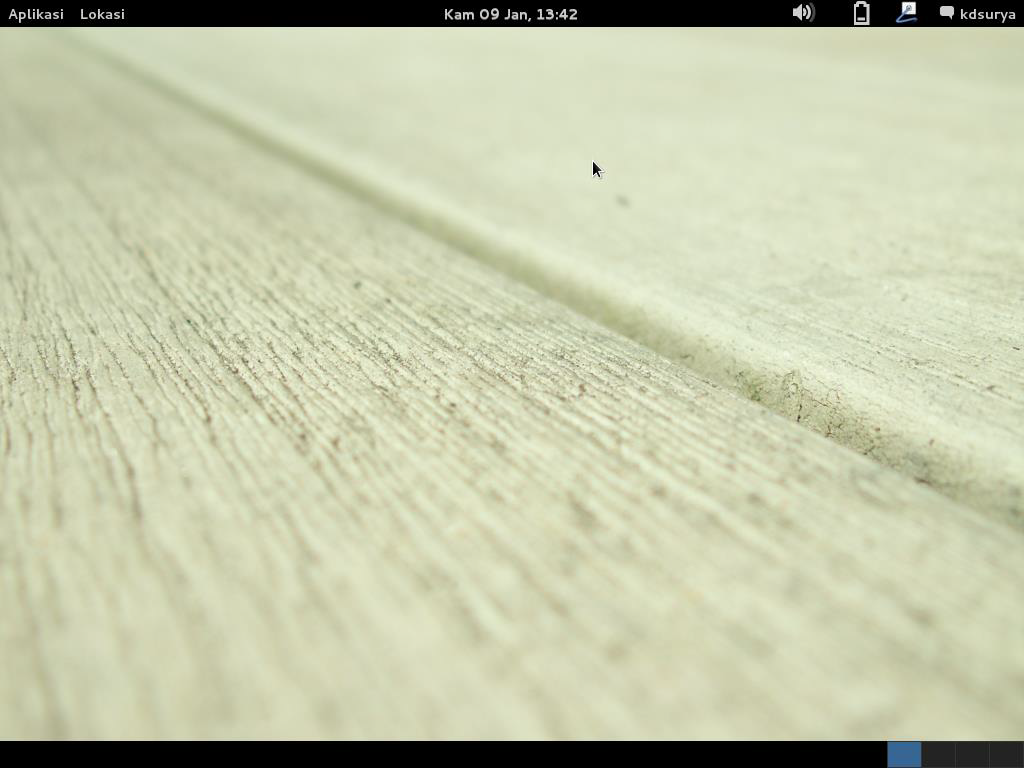
Figure 14. The main view DE Gnome on Debian
Components DE that can be observed in Debian are described as follows.
Menu Bar
This section is used to display the menu of Gnome system. The location is at the top. It consisted of:
– Application, contains a list of installed applications.
– Location, lists the storage media that can be accessed by the user, including when inserting the USB Flash Disk will be added here and access media access penyimpn network.
– Calendar, displaying the current date and time.
– Volume to adjust the speaker volume.
– Batteries (for laptops), giving the status of the battery usage by the system.
– Network connection, set up an existing network connection. Connections that can be set in addition to cable networks, including wireless networks and VPN.
– User menu, containing the system menu to turn off the computer, restart, lock the screen and others.

Figure 15. Menu bar in Unity comes with the notification area on the right.
There are a wide variety of applications that have been provided at the time of installation of Debian as a word processor (LibreOffice Writer, gedit), data processing (LibreOffice Calc, LibreOffice Base), processing the presentation (LibreOffice Impress), image processing (LibreOffice Draw, GIMP, Inkscape, Shotwell, Evince), browser (Iceweasel) torrent (Transmission BitTorrent Client), communication (Empathy, Evolution) and others.
