Use of Nano Applications
Nano is a text editor application that can be run through the terminal and has a text-based interface. This is a text editor that is widely used by network administrators, especially when accessing the server remotely, for example via the terminal SSH server.
Creating a new file
– Open the Terminal application and run the following command to create a new file with the name Nano contoh1.txt located in the home directory of the current user.
nano ~ / contoh1.txt
– In view below type the name of each school, for example as below.
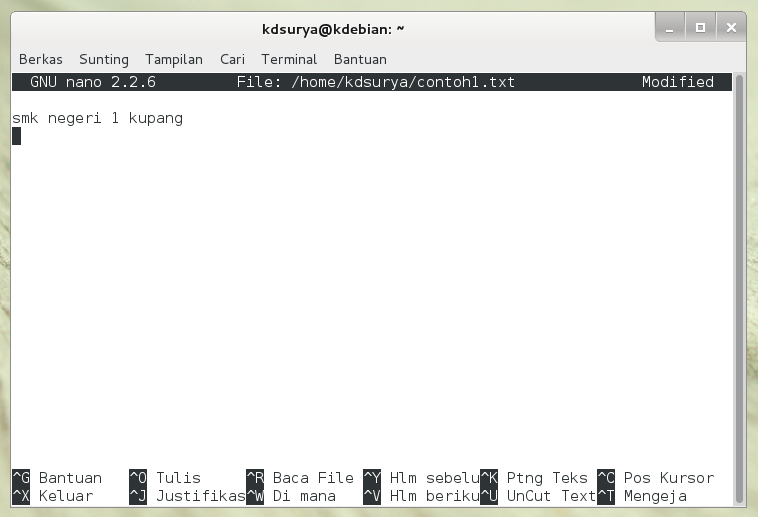
– To close and save the file press Ctrl + X then the question that arises press Y and then Enter.
Open a text file that is
– Use the following command to open a file that can be edited. For example, to open the file ~ / contoh1.txt that have been produced earlier.

– Change the desired file then to save and exit press Ctrl + X, followed by pressing Y and Enter.
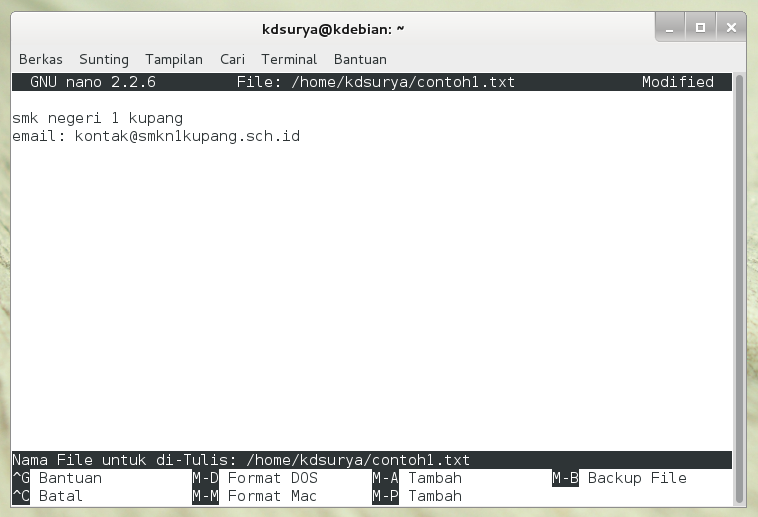
Configuring IP Addresses
There are two types of IP address configuration that can be applied, namely Automatic through DHCP server and manually.
Automatic configuration through a DHCP Server
1. Open the file / etc / network / interfaces using nano.

2. Add or modify the following line in the file. Adjust eth0 with the network devices detected by Debian.
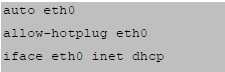
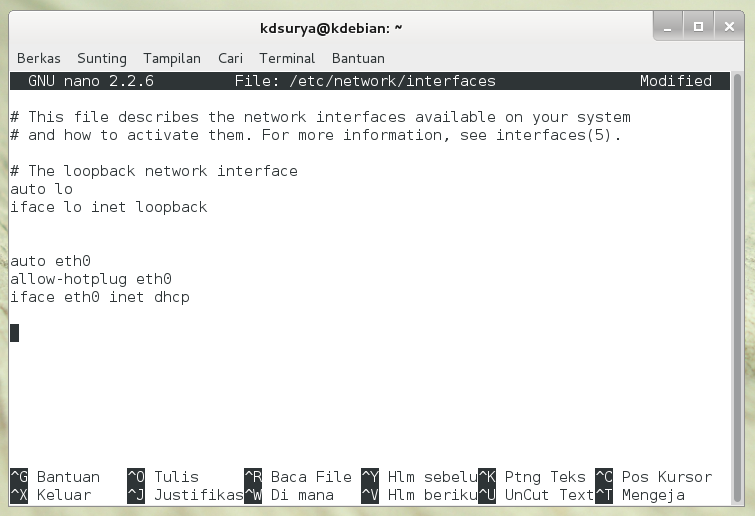
3. Close and save the edited file. After that, run the following command to enable the configuration of IP addresses that have been made.

Manual configuration of IP Addresses
1. Reopen the file / etc / network / interfaces and add / modify the following lines. In this example, the address used is the gateway 192.168.56.100 192.168.56.112/24. Adjust this configuration back to a different address.
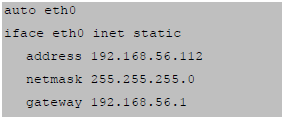
2. Then save and restart network services using the previous command.
