Making the Virtual Computer Debian
1. In the application menu open VirtualBox Machine> New or New toolbar or press Ctrl + N to create a new virtual computer.
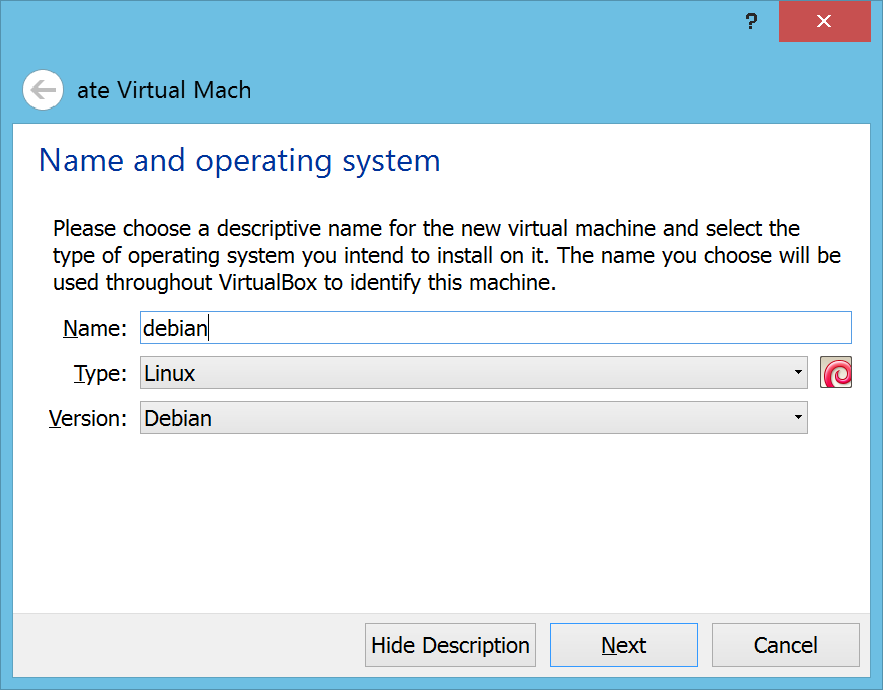
2. In the window that appears, for the entry Name: fill in the “debian” without the quotes as shown below. Then click Next.
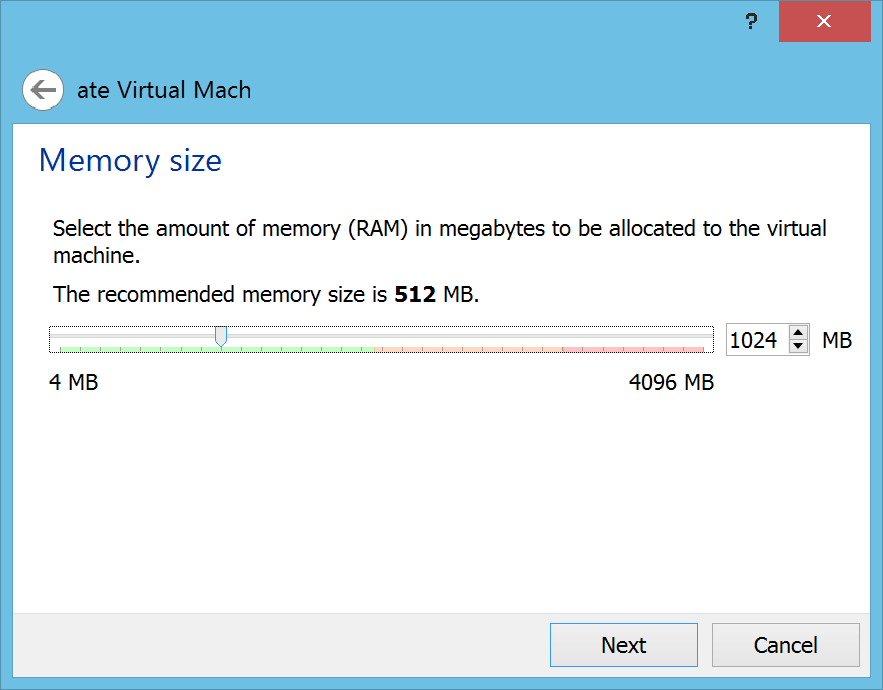
3. In the next window, enter the maximum memory of this computer will be used to run a virtual computer ubuntu. In this case fill with 512 MB is recommended if able to fill in the value of 1024 MB, which is important not cross the line of the green bar.
4. In the next window, the determination of the hard disk to be used for virtual computers ubuntu. Select Create a virtual hard drive now.

5. In the next window, choose the type of hard drive VDI (VirtualBox Disk Image). Then click Next.
6. In the window that appears select Dynamically allocated, then click Next.
7. In this window, let it remain 8 GB for the size of its hard drive. Click Create to proceed.
