Network Configuration Mode Through Text
As explained earlier about the concept on a computer network is required to be exchanging data between computers. This delivery can take place because of the good addresses on the source computer and destination data. Configuration can be done on a Linux system to be able to connect to the network configuration including the IP address and DNS address settings including Proxy.
On Linux operat system every network card installed dikomputer will be given a name using the format:

or

eth states where wired network card and a WLAN for wireless, while X is used to designate the order of network cards installed starting from 0 for the first network card, 1 for the second and so on. This name can be known through for eth ifconfig and iwconfig for wlan which run as the root user, as shown in the following figure.
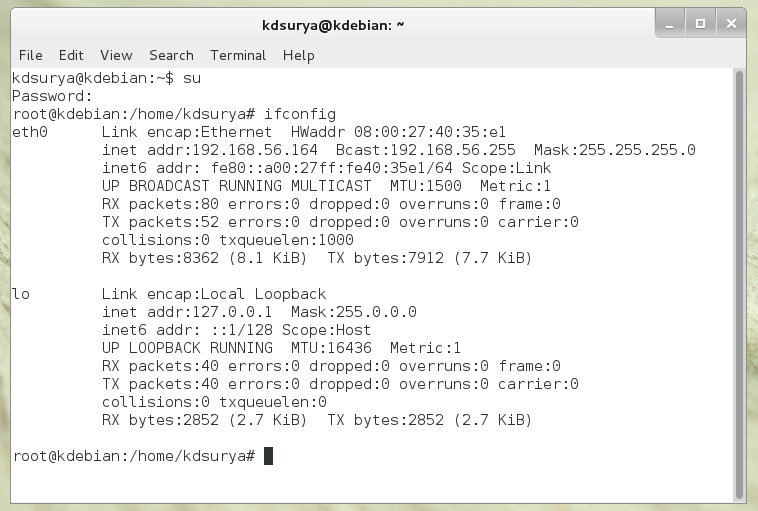
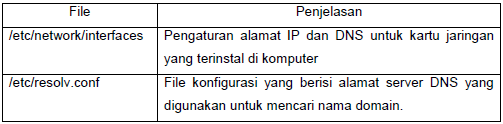
The files in Linux-related configuration for the network addressing, DNS and proxy are shown in the following table.
As has been explained earlier that the Linux system everything is a file. This also applies to the network settings in Linux. Almost all Linux configuration file is a text file that allows it to open the file using a plain text editor. On this material will be shown how to use a text editor based on the Linux CLI and the configuration file using the editor.
