Presenting the Image Display Format
A web page will look stiff, formal impressed, and a little drab if not accompanied by pictures. We can see today, the web page on the Internet, almost all of them incorporate images, animation, audio and even video to attract and startle visitors. As another example, for example, want to create a web page that contains a collection of photographs, as well as goods in accordance with the hobby.
In this case, it must understand the technique for displaying the images to the web page so that it will look neat and attractive. The necessary means for inserting or adding images to a web page is easy. HTML tags have provided specifically for this purpose, ie <img>. This tag is a single tag or do not have a partner. The most important attribute of the <img> is SRC (source or sources), which contains the image file to be displayed in a web page.
Common forms of use of the <img> is: <img src = “filename”>
If the file to be displayed is in another directory, or even being on another website, meals need to mention also the location of the file.
Example: <img src = “../ images / komputer.jpg”>
Or
<img src = http://www.abcde.com/image/kamera.jpg/>
Sample results HTML document in a Web browser as shown below:
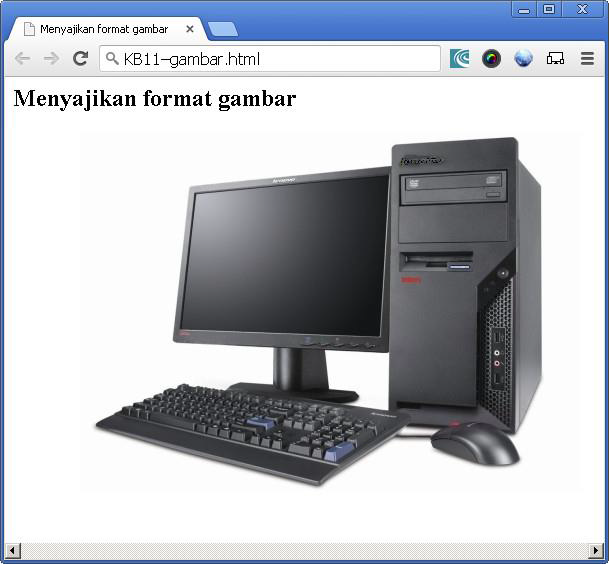
Figure 11.1. Presenting Image Format
Image format that is often used in a web page is GIF (.gif) and JPEG (.jpg or. Jpeg). GIF stands for Graphics Interface Format whereas JPEG stands for Joint Photographic Experts Group. In addition to these formats, saaat is also already widely used image formats including PNG (.png), yanag which stands for Portable Network Graphics.
Merging Images and Text
If we want to combine ataumenyisipkan picture in a text or a particular paragraph, there is a choice position of the image that must be considered:
a. Vertically:
The text can be aligned with the top of the picture
The text can be aligned with the center of the image
The text can be aligned with the bottom of the image
b. Horizontally:
Images can be located on the left side of the text / paragraph
Images can be in the right part of the text / paragraph
For position yangdilihat from the vertical direction can be determined by filling values TOP, MIDDLE, or BOTTOM into the ALIGN attribute contained in the tag <img>. Sample results HTML document in a Web browser as shown below:
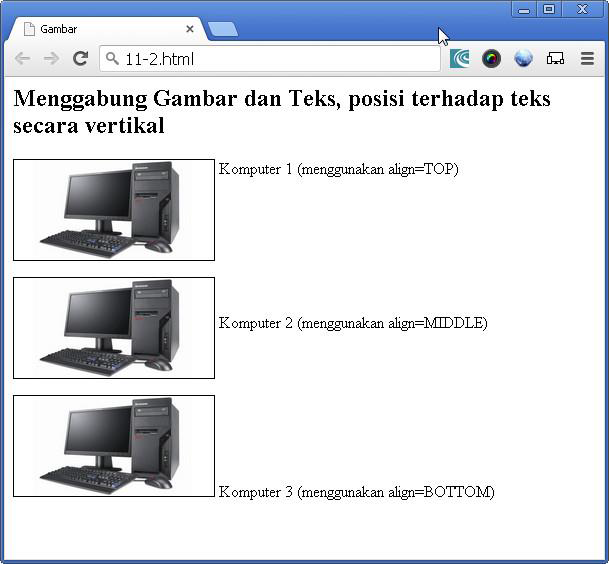
Figure 11.2. Combining Image and Text vertical direction
As for the position of the image seen from the horizontal direction ditentukribut early by filling value ALIGN LEFT and RIGHT into the tag <img>. By filling these attributes with values LEFT then the image will appear to the left of the text. Conversely, if charged RIGHT will menyeabkan image position will be on the right of the text.

